

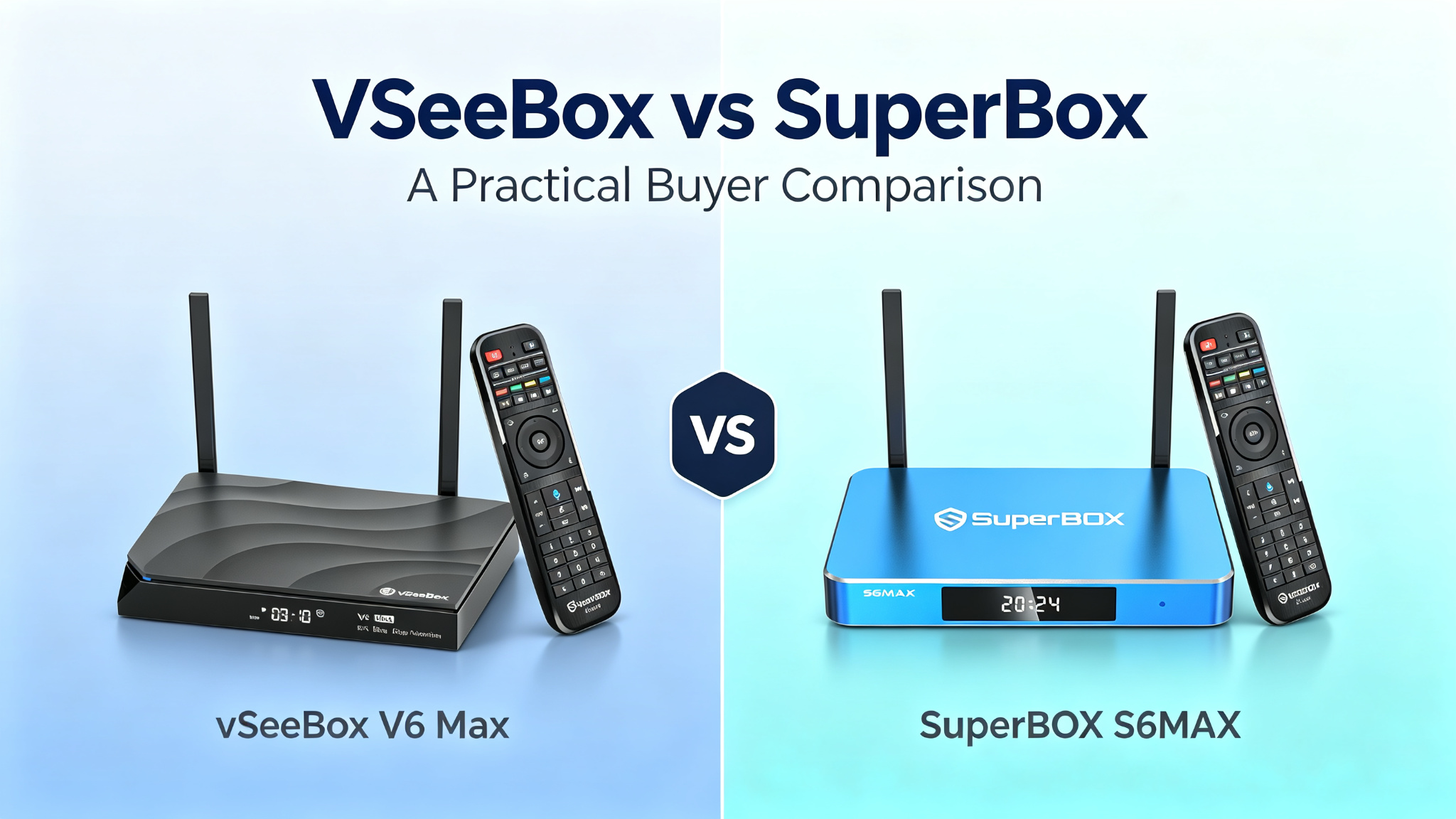
VSeeBox vs SuperBox: A Practical Buyer Comparison
Buyers comparing VSeeBox and SuperBox usually want clear differences in hardware, daily usability, support, and long-term practicality—not marketing promises. Both are Android-based streaming media players sold as one-time hardware purchases. They connect to a TV via HDMI and use your internet connection. Models, specs, software, and seller policies change frequently, so this guide focuses on the questions that matter most when evaluating any specific listing.
What this comparison can and cannot verify
This article can help you compare verifiable product attributes: RAM and storage options, network ports, remote features, chassis design, published warranty terms, return windows, and the kinds of support sellers advertise.
It cannot independently verify ongoing content availability, channel counts, uptime of any third-party apps, or long-term server reliability. Those elements depend on external services, network conditions, and app providers that are outside the hardware itself. Marketing claims such as “all channels,” “free premium content,” or guaranteed access should be treated as unsupported. Always review the seller’s terms, the device’s user documentation, and any app end-user license agreements before purchase.
Hardware and software questions to compare
When looking at specific models (for example, recent VSeeBox V6-series units or SuperBox S7/S8-series units), check the exact listing rather than the brand name alone.
Common comparison points include:
- Memory and storage: Many recent models from both lines list 4 GB RAM. Storage often ranges from 32 GB to 64 GB or higher on flagship versions. More storage helps if you install multiple apps or keep offline caches.
- Networking: Dual-band Wi-Fi 6 appears on many current models. Some SuperBox listings emphasize Gigabit (1000 Mbps) Ethernet; some VSeeBox listings show Gigabit while others list 100 Mbps—confirm the port on the exact unit. Wired Ethernet generally provides more consistent performance than Wi-Fi alone.
- Chassis and cooling: SuperBox marketing frequently highlights aluminum or metal alloy bodies that act as heat sinks. VSeeBox models more often use plastic or polycarbonate enclosures. Better heat dissipation can matter for devices left on for long periods.
- Ports and power: Look for HDMI version, USB ports, optical audio, and whether the power connector is a common USB-C or a proprietary barrel jack.
- Operating system and interface: Both run Android-based systems (versions such as Android 12 or 14 appear in listings). Some buyers prefer more open Android behavior that allows standard app installation; others prefer a more locked-down, pre-configured experience. Confirm whether the model supports the Google Play Store or relies primarily on preloaded or side-loaded apps.
- Remote: Both commonly include voice remotes. Differences to note include backlighting, dedicated mute or number-pad keys, Bluetooth vs infrared, and any air-mouse or motion features.
Because firmware and app suites differ by model and seller, treat software experience as model-specific rather than brand-wide.
Setup and remote experience
Typical setup is similar for both: connect HDMI to the TV, connect power, join Wi-Fi or Ethernet, and complete on-screen steps. Most users report that initial pairing of the remote and network connection takes only a few minutes when the instructions are followed.
Remote feel and navigation speed vary by model. Some SuperBox remotes emphasize dedicated shortcut buttons and numeric keypads. Some VSeeBox remotes highlight backlighting and air-mouse functionality. Real-world smoothness depends on the specific firmware, the apps in use, and your network. User reports on forums such as Reddit are mixed and often model- or seller-specific; they should be treated as individual experiences rather than definitive rankings.
Support, warranty, returns, and seller transparency
Both brands commonly advertise a 1-year limited hardware warranty covering manufacturing defects under normal use. Coverage details (what is excluded, shipping responsibility, repair vs replacement) are set by the seller or authorized dealer. Extended warranty options appear on some SuperBox seller pages.
Return windows are often listed as 30 days by authorized sellers, sometimes with free return shipping for defective units. Policies differ between official-looking sites and third-party marketplaces.
Critical practical points:
- Warranty and support are usually valid only for purchases from authorized or verified sellers. Units bought through unauthorized channels (certain marketplace listings, social-media sellers, etc.) frequently lose official support.
- Confirm the seller’s contact methods (email, chat, phone), response expectations, and whether support is U.S.-based or primarily remote.
- Keep the order confirmation and any authorization or authenticity codes. Many sellers publish ways to verify authorized status.
Seller transparency—clear return policy, published warranty text, reachable support, and authentic packaging—matters more than the brand logo on the box.
App sources, account requirements, subscriptions, and content permissions
These devices are hardware platforms. Any live-TV-style or on-demand apps that appear preloaded or recommended are separate from the device itself.
Buyers should ask:
- Which apps come pre-installed, and can additional apps be installed from the Play Store or other sources?
- Do any apps require accounts, logins, or ongoing fees beyond the hardware purchase?
- What permissions does each app request, and does the seller or documentation explain data handling?
- Are firmware and app updates delivered automatically, and who controls them?
Neither brand’s hardware purchase automatically includes licensed premium programming. Content access depends on the apps you choose to run and the terms of those services. Review official terms of service for any app you intend to use. Claims of unlimited free access to premium channels or guaranteed content should be disregarded as unverified.
Performance factors that depend on network and compatible apps
Playback quality, channel-changing speed, and stability are heavily influenced by:
- Your home internet speed and consistency (many sellers recommend at least 8–15 Mbps for smoother streaming; higher is better for higher-resolution streams or multi-stream features).
- Whether the device is connected via Gigabit Ethernet or Wi-Fi 6 on a less-congested 5 GHz band.
- The specific apps and their backend servers.
- Local network congestion, VPN use (if any), and TV HDMI settings (deep color, HDR, CEC, etc.).
Hardware differences (RAM, storage, cooling, Ethernet speed) can affect responsiveness and thermal behavior under sustained load, but they cannot overcome a weak or unstable internet connection. Multi-view or simultaneous-stream features, when available on a given model, demand substantially more bandwidth.
Which buyer profile may prefer each type of device
Consider a SuperBox-style model if you prioritize metal-chassis cooling on higher-end units, Gigabit Ethernet on many current listings, a remote with dedicated mute/number keys, and a more guided, plug-and-play software approach from the seller you choose. Some buyers also value the longer market presence claimed by certain SuperBox lines.
Consider a VSeeBox-style model if you prefer more recent Android versions on certain units (e.g., Android 14 listings), backlit remotes with air-mouse options, or specific interface features that appear in user discussions for particular V6-series or Elite models. Some users report smoother daily navigation on the models they own, though experiences vary.
In both cases the deciding factors are usually the exact model specs, the seller’s support reputation, and how well the device matches your existing internet setup and preferred apps—not brand-level generalizations.
Red flags to check before purchase
- Sellers that promise “all channels,” “lifetime free premium content,” or “guaranteed no buffering.”
- Unclear or missing warranty/return policies.
- Pressure to buy only through private messaging or non-official channels with no verifiable authorization.
- Listings that refuse to specify exact RAM, storage, Ethernet speed, or Android version.
- Prices that seem far below typical authorized-seller ranges (possible gray-market or non-warrantied units).
- No reachable support contact or support that only answers through social media.
- Claims that the device itself provides licensed cable or streaming service content.
Purchase only from sellers that publish clear terms, support channels, and authenticity verification. Keep records of the transaction.
FAQ
Is one brand clearly better than the other?
No single answer fits every buyer. Hardware, software experience, and support quality vary by exact model and seller. Compare the specific unit’s published specs and the seller’s policies.
Do these devices require a monthly subscription for the hardware?
Authorized sellers generally present the box itself as a one-time hardware purchase. Any ongoing costs come from your internet service or from apps you choose to use.
What internet speed do I need?
Sellers commonly recommend a stable connection of at least 8 Mbps, with higher speeds preferred for higher-quality streams. Wired Ethernet is often more reliable than Wi-Fi.
Can I install my own apps?
Many models support additional app installation, but the degree of openness depends on the firmware and seller configuration. Confirm with the specific product documentation.
What should I do if the device has problems after purchase?
Contact the seller using the support channels listed on your order confirmation. Have the order number and model ready. Warranty service typically requires purchase from an authorized source.
Where can I find official terms?
Check the warranty, return, and support pages on the seller’s site for the exact model you are considering. Do not rely solely on third-party comparison articles or social-media claims.
CTA
Before buying, open the exact product page for the model you are considering, read the full warranty and return text, confirm the seller is authorized, and match the listed ports, storage, and network features against your TV and internet setup. A careful checklist focused on hardware, support transparency, and realistic expectations will serve you better than any brand-versus-brand slogan.